Five ways to look up kanji
Nihongo is not limited to one search method. Use whichever route fits what you already know about the word or character in front of you.
Search by radical
Start from the visible parts of a character and narrow it down when you recognize the shape but not the reading.
Search with your camera
Use Photo Lookup to tap words directly in an image and jump into the right kanji and dictionary entries.
Search by handwriting
Draw the character with your finger when typing it is not practical or you only know roughly how it looks.
Search by copy/paste
Paste Japanese text you found elsewhere and move straight from the character into words, readings, and examples.
Search by reading (kana)
Type the reading in kana when you know how it sounds but need to find the kanji or sort out the right word.
A full kanji entry, not just an answer
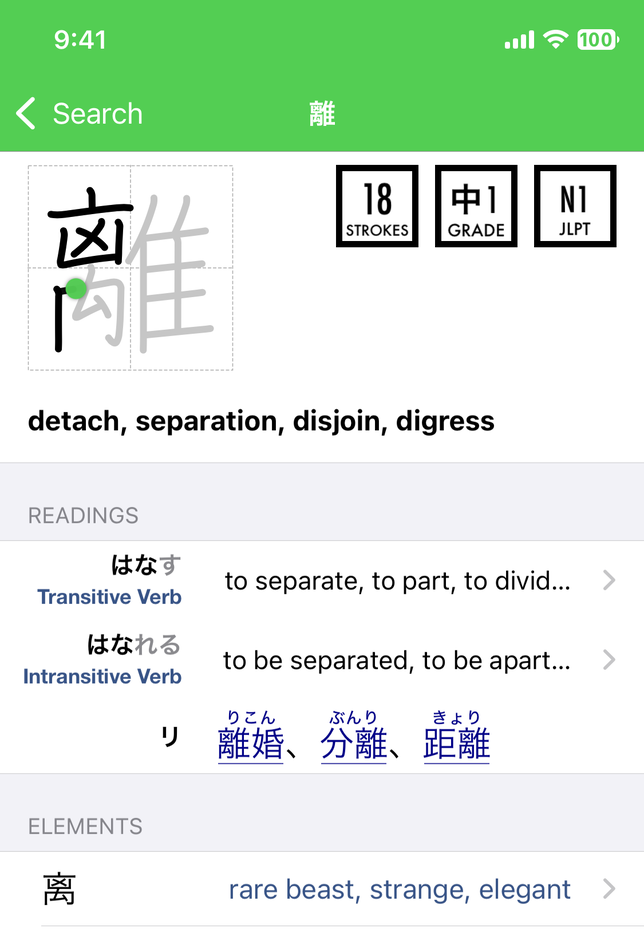
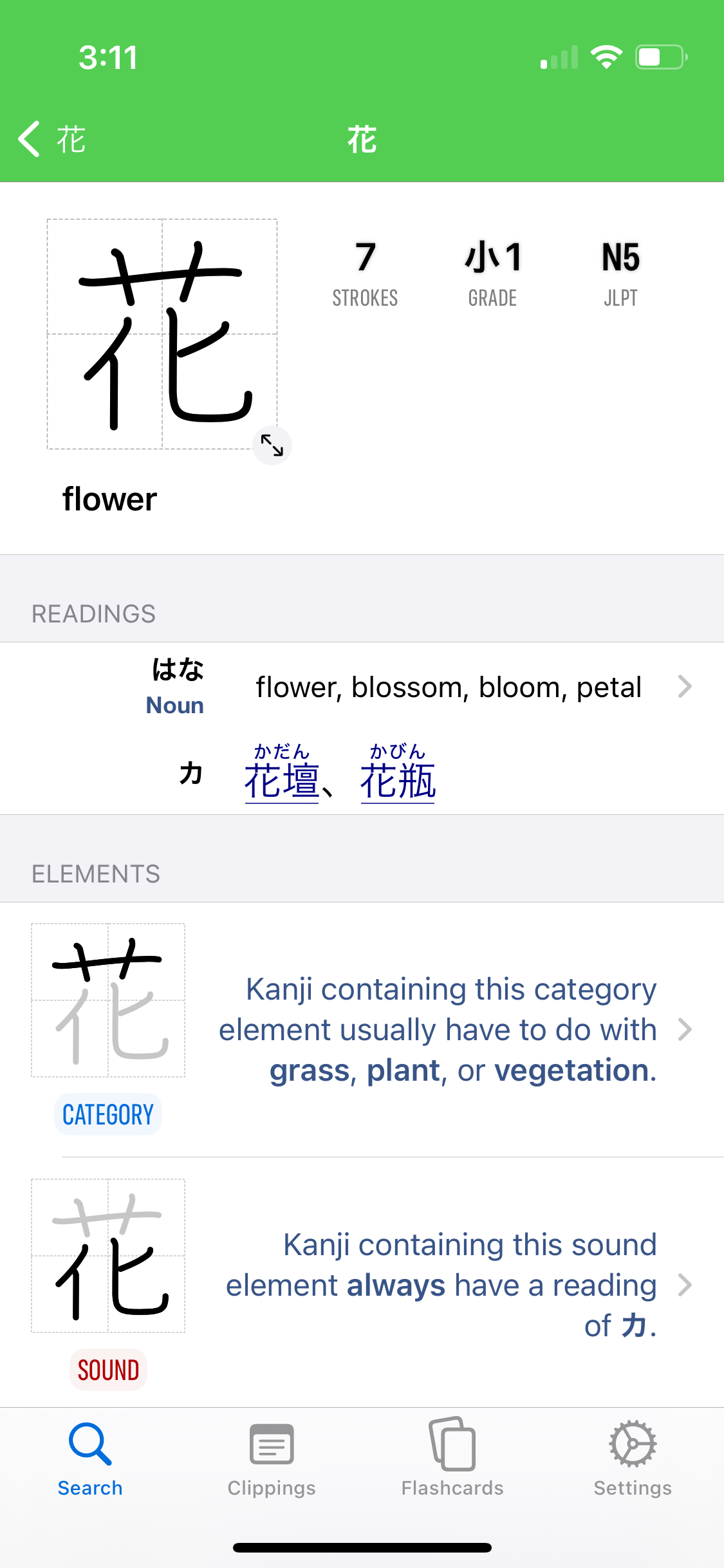
Once you find the right character, Nihongo shows much more than a name and a reading. You can see the kanji's key details at a glance, open common linked words, and inspect the element breakdown without leaving the entry.
- See strokes, grade level, and JLPT information in one place.
- Open linked common words directly from the readings area.
- Use the element breakdown to understand how the character is put together.
- Stay inside the same app as you move into vocabulary and study.
Kanji element roles, clearly explained
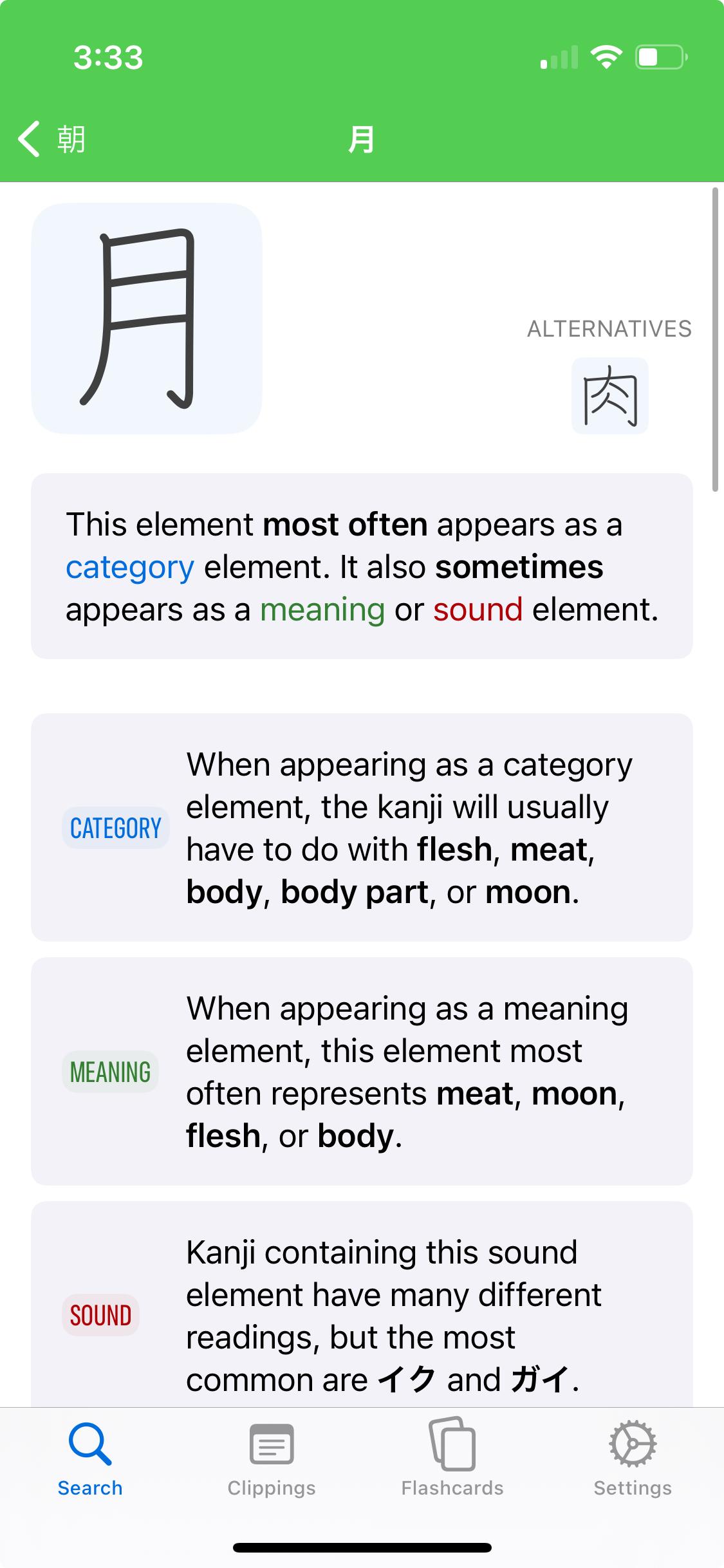
Nihongo's element pages explain what role a component usually plays inside kanji. A single element can act as a category marker, a meaning element, or a sound element, and seeing those roles laid out clearly makes etymology useful for real learners.
That gives you something more practical than a generic breakdown. It helps you remember kanji more easily, spot patterns across characters, and make better guesses about unfamiliar ones.
Built-in stroke guides
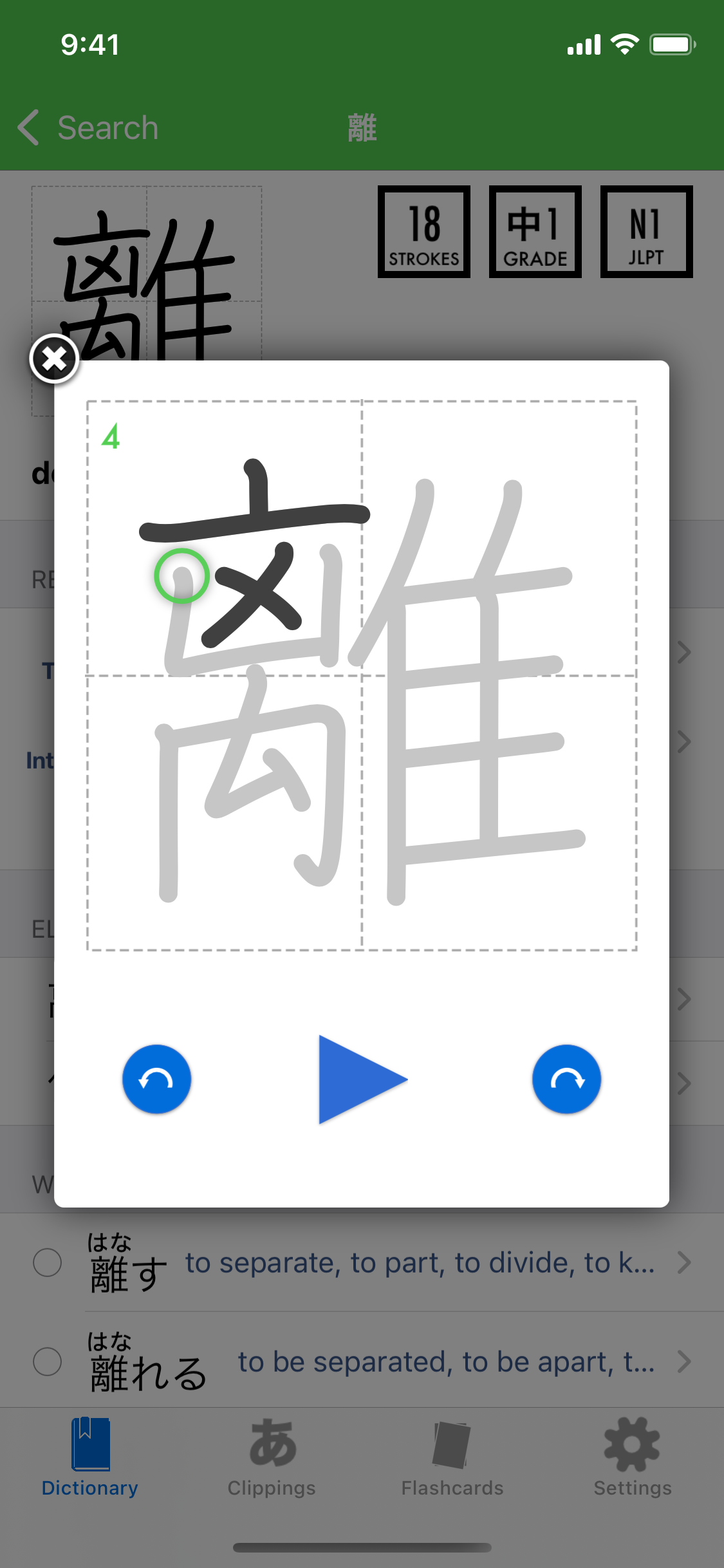
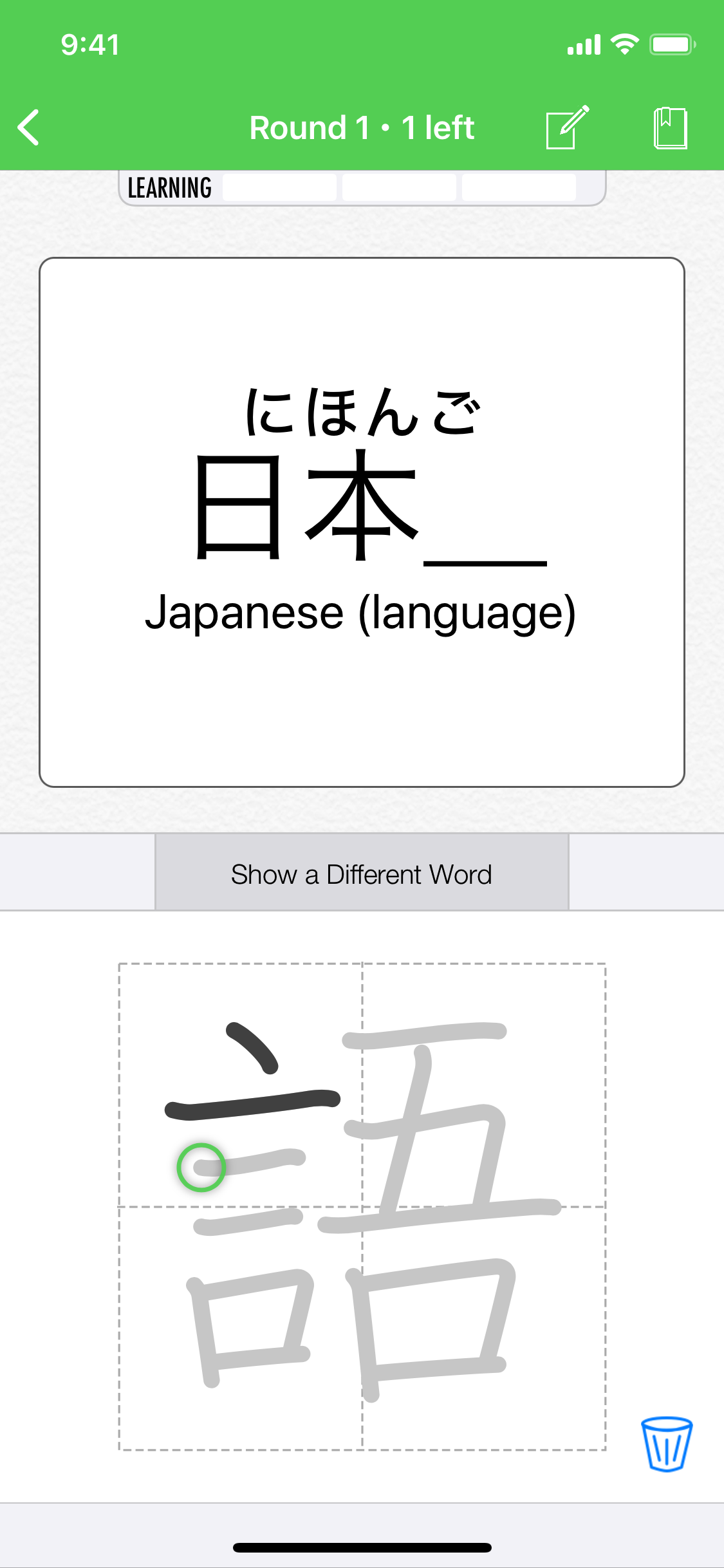
When you want to go beyond recognition and actually write the kanji, Nihongo includes a stroke guide interface that shows the drawing order step by step. It is right there in the entry flow, so you do not have to switch over to a separate handwriting app.
This makes kanji lookup more actionable. Find the character, understand how it works, and then practice drawing it while it is still fresh in your mind.
Kanji drawing flashcards
Nihongo can also turn kanji study into a real review workflow. Kanji drawing flashcards let you practice writing from memory, not just recognizing the shape when you see it in a list.
That pairs naturally with lookup. Once a kanji matters to you, you can carry it forward into spaced-repetition review and keep building writing ability over time.
Try Nihongo for kanji lookup on iPhone and iPad
If you want a kanji lookup app that does more than identify a character, Nihongo is built to carry you from recognition into vocabulary, readings, and study.