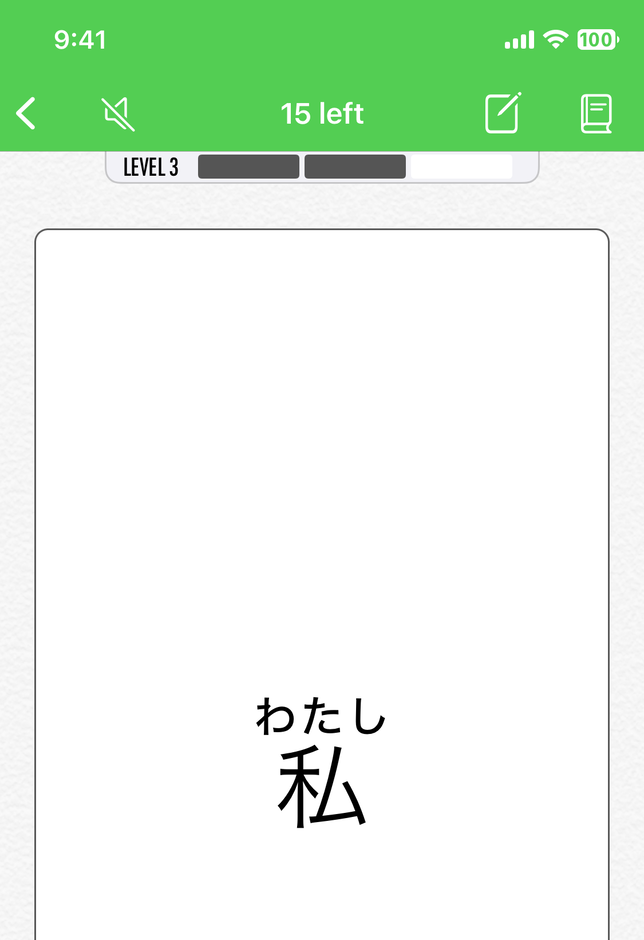
Nihongo's flashcards are built around natural encounters. Instead of studying from premade vocabulary lists, the words you search, tap, photograph, or paste can become the material you study next.
Flashcards automatically created from...
Dictionary search
Look up a word normally, and Nihongo automatically turns it into a flashcard without asking you to re-enter the same vocabulary elsewhere.
Photo Lookup
Tap words directly in an image, jump into the entry, and keep moving from that moment of confusion into a saved card with real context.
Clippings
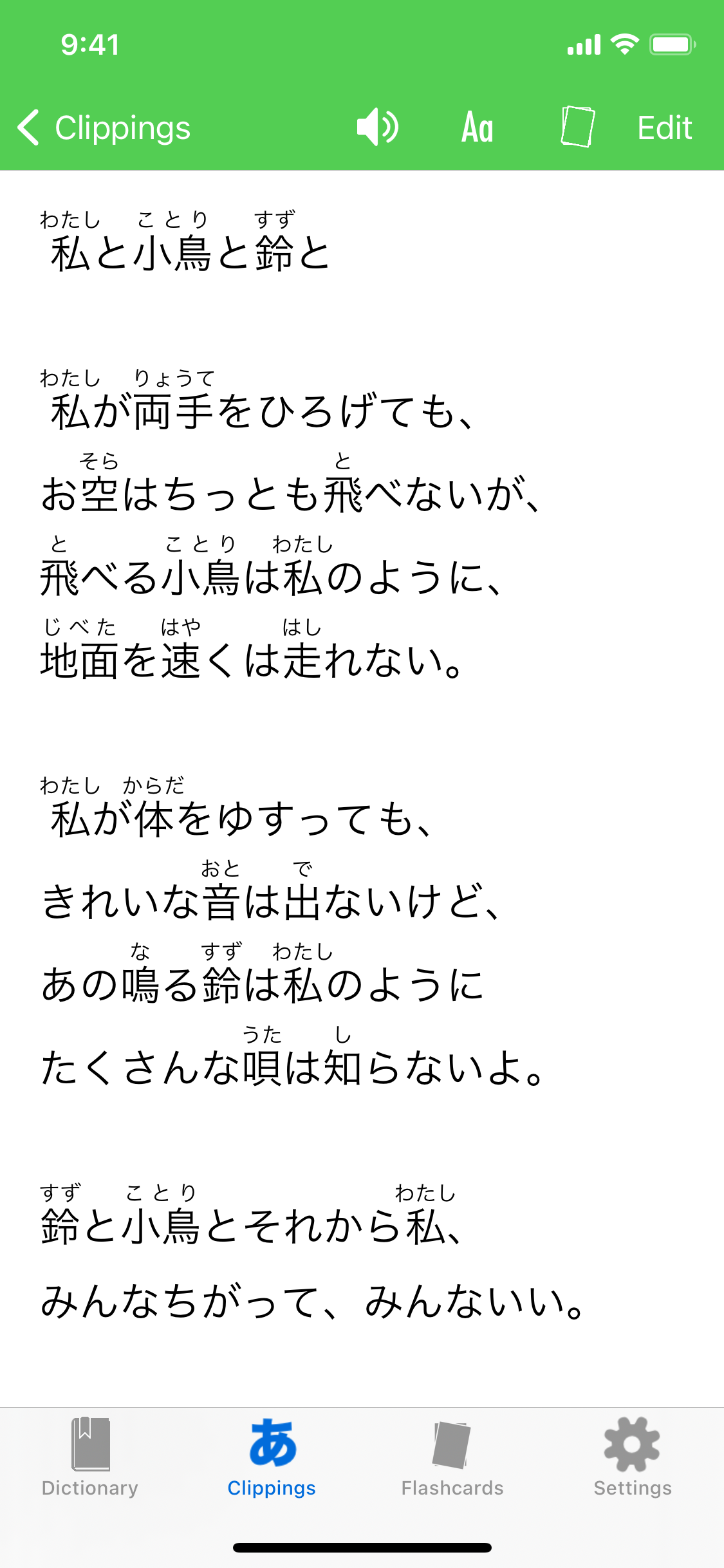
Paste in Japanese text from the web, class notes, books, or messages, and add furigana. Then create a deck from the words the app recognizes.
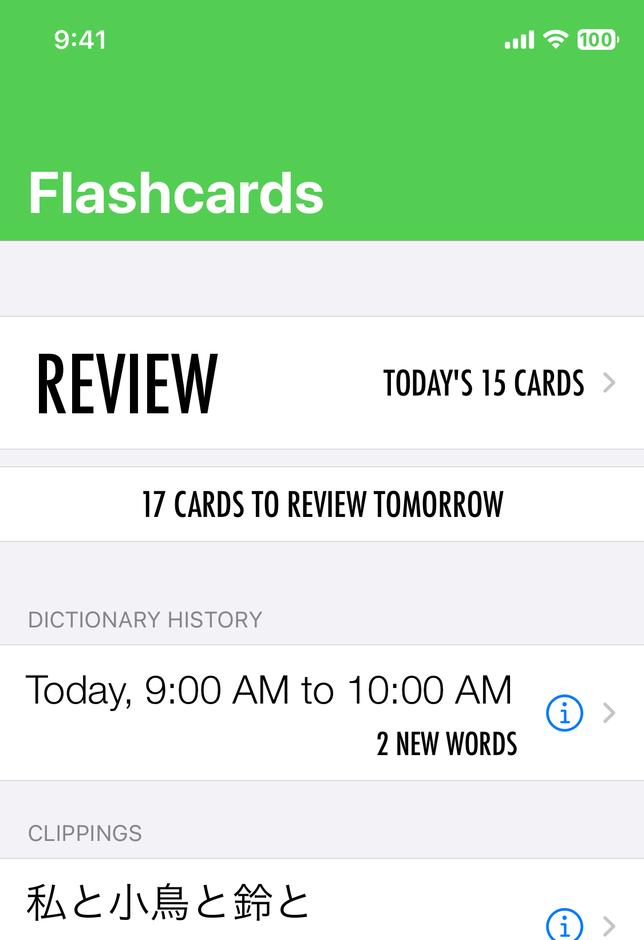
Dictionary search that turns into study
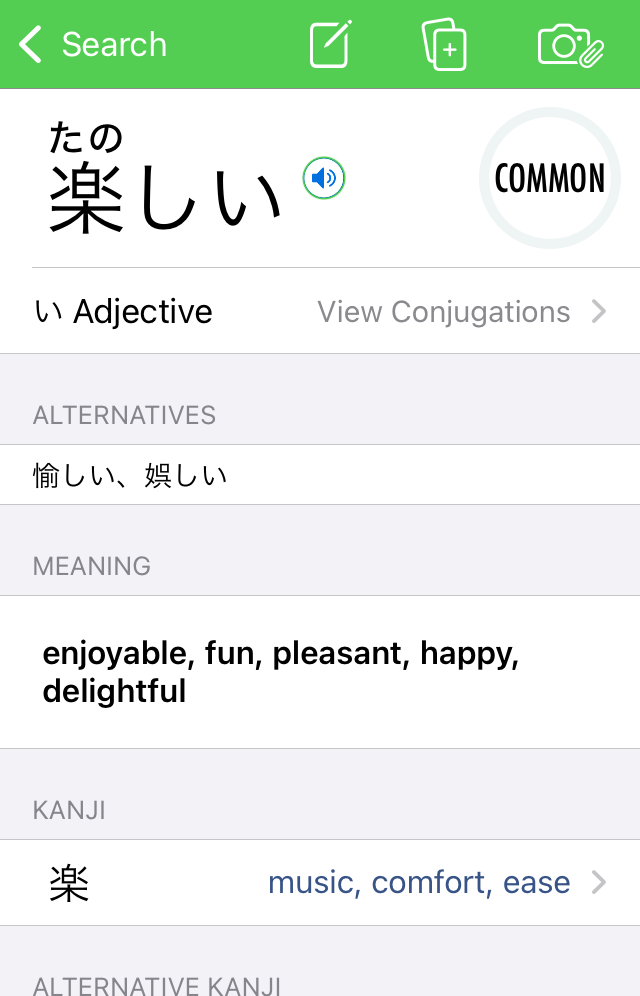
Nihongo began as a tool for automatically creating flashcards from dictionary lookups. Search results are tuned to bring useful, real Japanese to the top, and once you open the word you care about, that lookup does not have to remain a one-off moment.
- Search words, kanji, and example sentences in one place.
- Prioritize useful vocabulary with common, uncommon, and rare labels.
- Let dictionary history feed the cards you study later.
Audio that stays attached to the word
Flashcards are stronger when they are connected to pronunciation as well as meaning. Nihongo Pro includes audio pronunciations for words and example sentences, including native-speaker recordings for thousands of items, so the vocabulary you save does not have to become silent memorization.
That also makes the dictionary and the flashcard system feel like one product. You can hear the word in the entry, then keep that same vocabulary in your review flow with audio available when you need it.
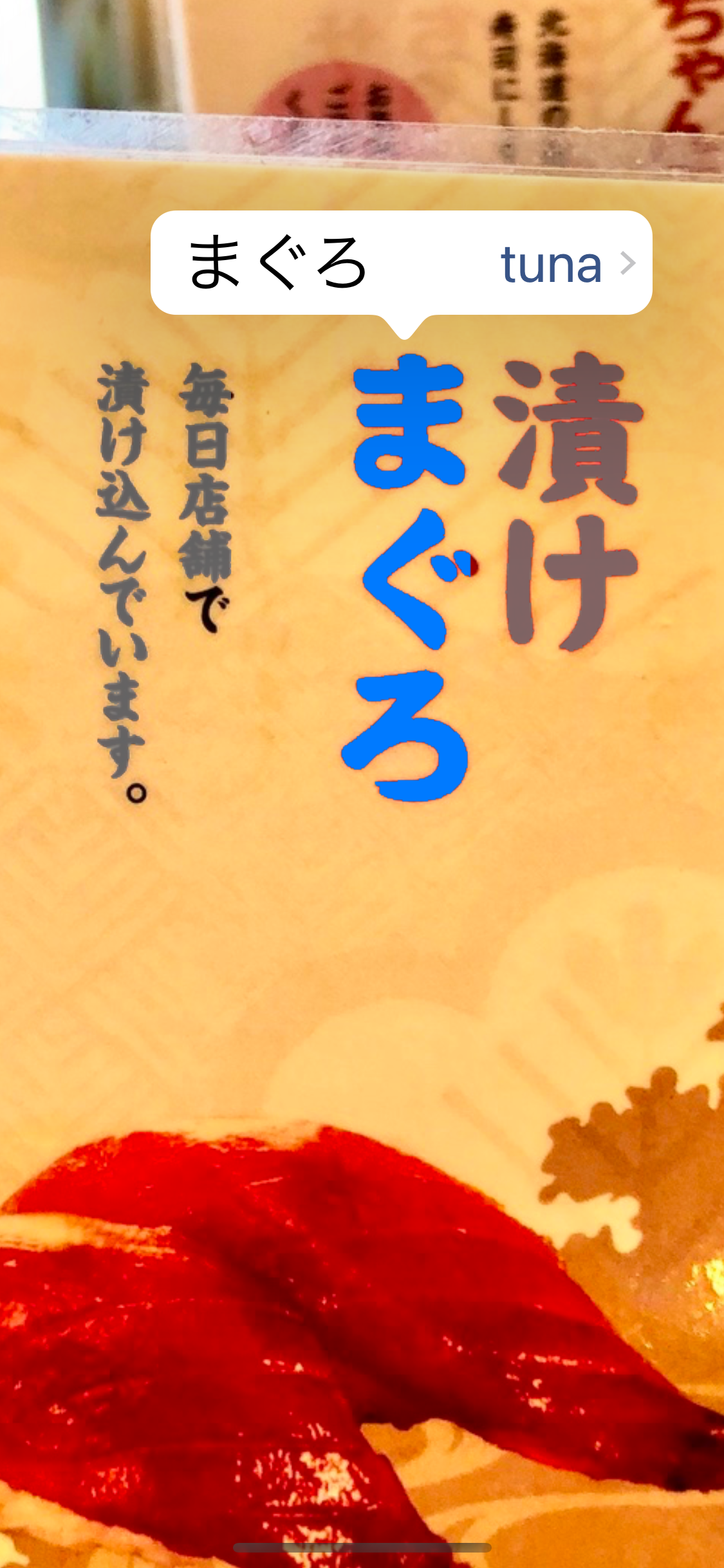
Use your camera to turn real-world text into study material
When the Japanese you need is on packaging, a sign, a menu, or a worksheet, using your camera keeps the path short. Tap the word directly in the image, open the right entry, and carry that encounter forward instead of telling yourself you will make a card later.
This is one of Nihongo's most distinctive study flows: an unfamiliar word in the real world becomes a dictionary lookup, then a flashcard, without losing the context that made the word memorable in the first place.
Clippings for longer text
Paste in Japanese from a website, email, eBook, song lyrics, or class handout and Nihongo turns it into a clipping with furigana or romaji, tappable word links, and built-in read-aloud support.
Clippings are where the flashcard system becomes especially practical. Instead of collecting disconnected vocabulary lists, you can read something real, tap what matters, and generate a deck from the words the app recognizes in that exact text.
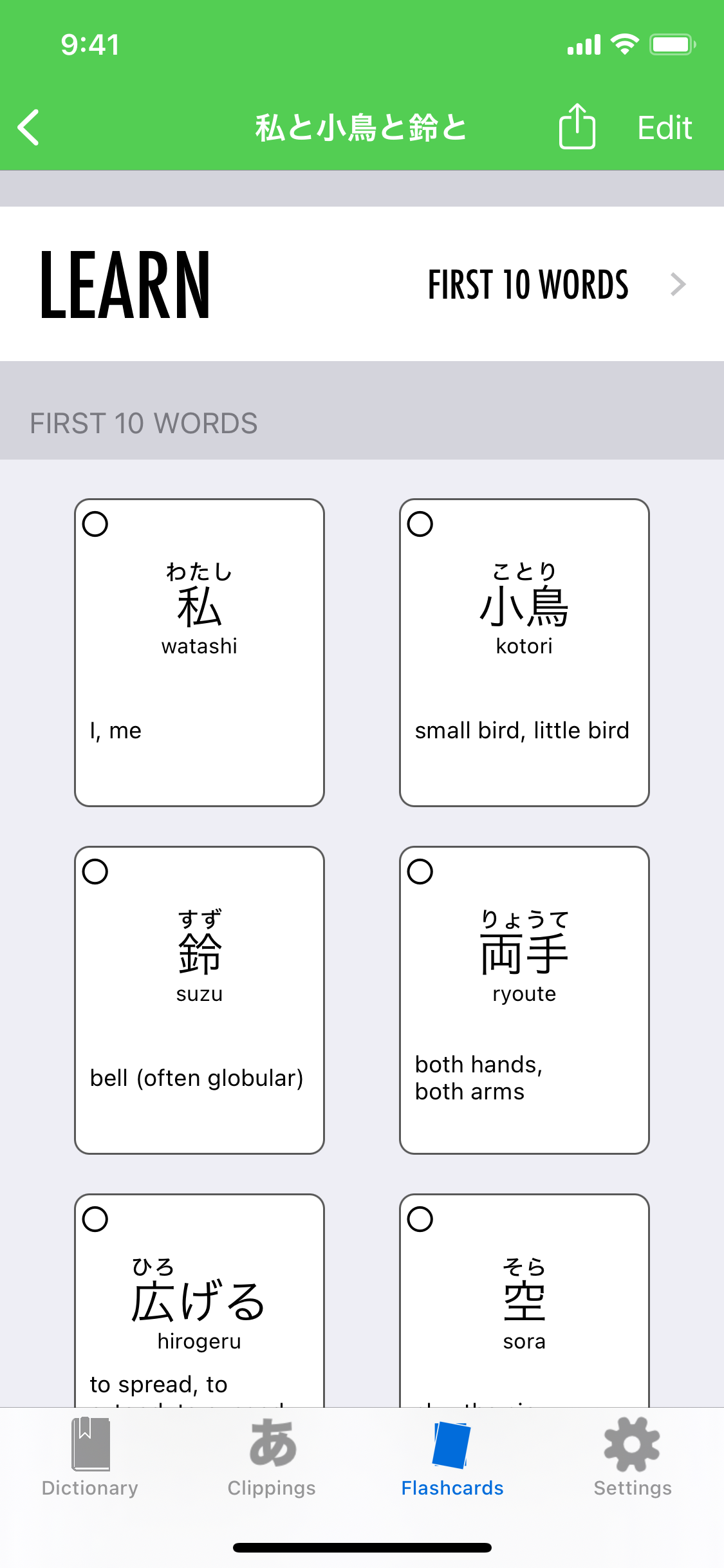
Automatic decks from what you actually looked up
The point is not to send you back to generic vocabulary lists. Nihongo draws from your search history and clippings to compile decks filled with words for which you already have context, which is exactly why they are easier to remember.
- Study words from your own reading, classes, songs, and day-to-day lookups.
- Use spaced repetition without the giant backlog penalty many SRS tools create after a break.
- Keep the dictionary, reading assistant, and flashcard workflow in one app.
Kanji flashcards that make you write
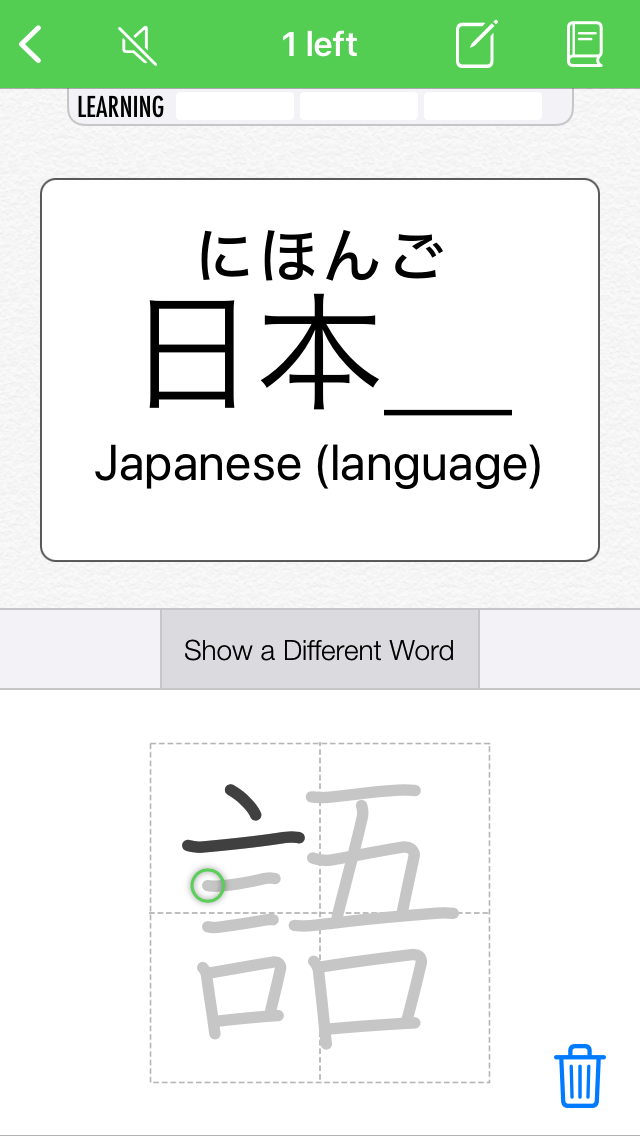
Nihongo's kanji flashcards prompt you to draw the missing kanji from the words you are studying, which creates a much stronger connection between the character and its real-world use than isolated handwriting drills.
That means the flashcard system is not just for vocabulary recognition. It also helps you practice writing, reinforce stroke order, and keep kanji tied to words you already know instead of abstract lists.
Built-in kanji decks by JLPT and grade level
Nihongo's built-in kanji decks are organized around JLPT levels and Japanese school grade levels. They are designed to make each character useful, not just recognizable, with important words, writing practice, and structured paths you do not have to assemble yourself.
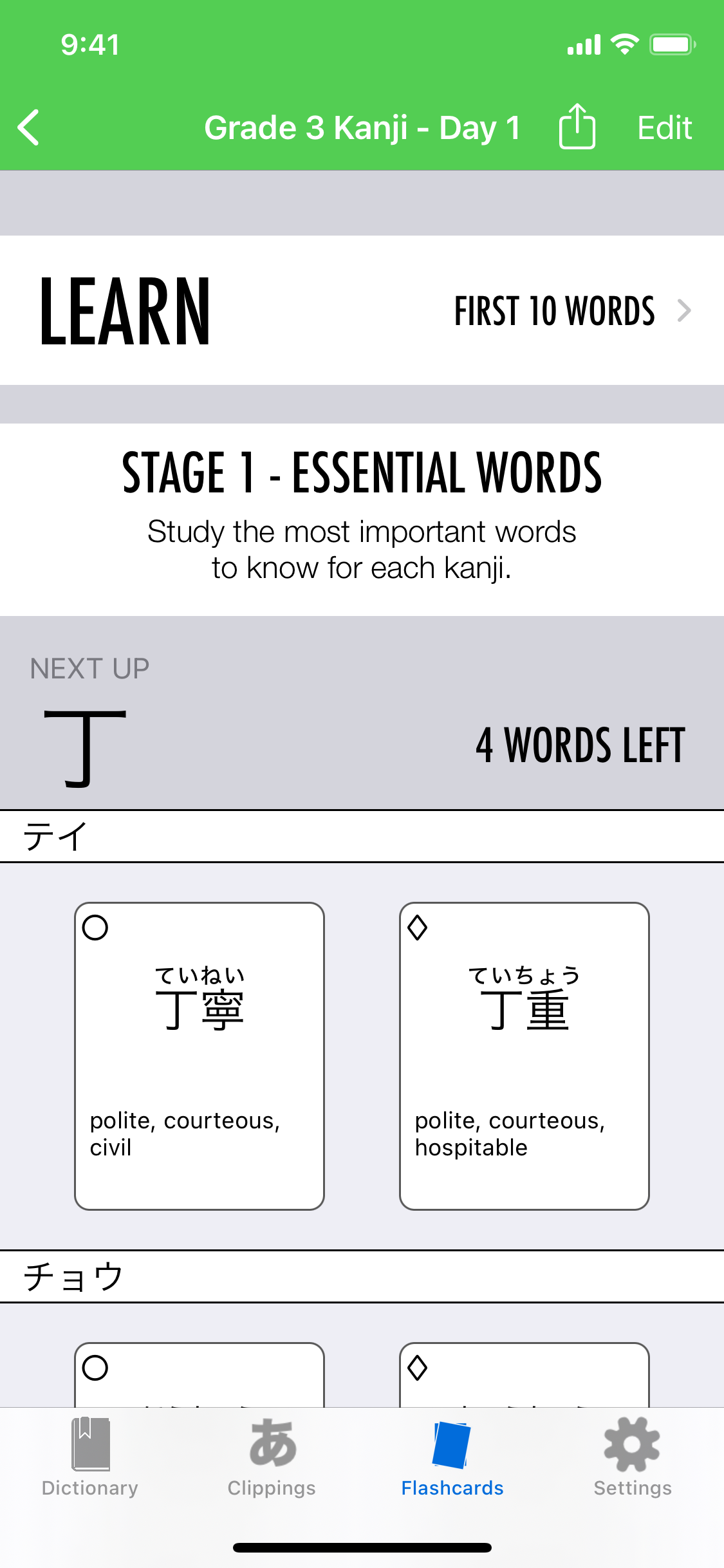
A built-in path for each kanji set
Each deck is already organized for you. Whether you start from a JLPT set or a Japanese school grade level, Nihongo moves into a structured study flow instead of leaving you to build a kanji curriculum from scratch.
Here, the deck begins with Stage 1 essential words, so the character is introduced through the vocabulary that matters most before you move deeper into review and writing practice.
Essential words first
Stage 1 focuses on the most important words to know for each kanji, so the character is grounded in vocabulary you can actually use.
Key words, not huge lists
Built-in kanji decks give you two or three key words to study for each kanji, which keeps the review focused and easier to retain.
Built-in study paths
Decks are grouped around Japanese school levels and JLPT levels, so there is a ready-made path whether you want practical coverage or exam-oriented study.
Writing still matters
Kanji drawing flashcards can catch incorrect stroke order, which makes review about writing the character correctly instead of just tracing the shape.
Try Nihongo for Japanese flashcards on iPhone and iPad
If you want flashcards that grow directly out of dictionary search, Photo Lookup, and real reading, Nihongo is built to keep that whole workflow in one place.